Cursor AI Code Editor Review 2026: Pros, Cons & Is It Worth It?
An in-depth Cursor AI code editor review covering real pros, cons, pricing, and features to help developers decide if it's worth it in 2026.

If you’ve spent any time in developer communities lately, you’ve heard the name. Cursor has gone from a niche AI experiment to one of the most talked-about coding tools in the industry — and for good reason. But “everyone is talking about it” is not a reason to pay for software.
This review cuts through the hype. We tested Cursor across real-world projects, compared it against its closest competitors, and broke down exactly what you get (and what you don’t) at every pricing tier. Here’s what you actually need to know.
What Is Cursor?
Cursor is an AI-first code editor built as a fork of Visual Studio Code. It was developed by Anysphere Inc. and launched in 2023, quickly gaining traction for its deep AI integration — not just autocomplete, but genuine multi-file reasoning, natural language editing, and codebase-wide context awareness.
Because it’s built on VS Code, Cursor inherits the same UI, extension ecosystem, and keyboard shortcuts that millions of developers already know. The AI capabilities are layered on top, not bolted on awkwardly. That architectural decision is arguably the single most important thing Cursor got right.
As of mid-2026, Cursor supports models including GPT-4o, Claude 3.5 Sonnet, Claude 3.7 Sonnet, and Cursor’s own fine-tuned models, with users able to switch between them depending on the task.
Pricing Overview
Before diving into features, here’s where your money goes:
| Plan | Price | Key Limits |
|---|---|---|
| Hobby (Free) | $0/month | 2,000 code completions/month, 50 slow premium requests |
| Pro | $20/month | Unlimited completions, 500 fast premium requests, 10 Claude Opus requests |
| Business | $40/user/month | Everything in Pro + SSO, centralized billing, admin controls, enforced privacy mode |
Pricing sourced from the official Cursor pricing page. Tiers and limits are subject to change, so always verify before subscribing.
The free tier is genuinely usable for occasional or hobbyist work. For professional full-time developers, the Pro tier at $20/month is the realistic minimum.
Core Features at a Glance
- Tab Completion (Cursor Tab): Predicts not just the next token but entire multi-line edits across your cursor position and surrounding context.
- Cmd+K (Inline Edit): Highlight code, describe what you want in plain English, and Cursor rewrites it in place.
- Chat Panel: A persistent AI chat window with full codebase context — ask questions about your own code, get explanations, or request refactors.
- Composer / Agent Mode: Multi-file editing where the AI can create, delete, and modify multiple files in a single pass based on a high-level instruction.
- Codebase Indexing: Cursor indexes your entire repo locally so the AI understands your specific project, not just generic programming patterns.
- @ Symbols: Reference specific files, docs, URLs, git history, or even external documentation directly in your prompts.
- Privacy Mode: Opt-in setting that prevents your code from being stored on Anysphere’s servers (required for Business plan compliance use cases).
The Pros
1. VS Code Compatibility Is a Genuine Advantage
This cannot be overstated. Cursor supports the VS Code extension marketplace, meaning your existing extensions — ESLint, Prettier, GitLens, language servers — work without reconfiguration. Migrating from VS Code takes under five minutes. There is no learning curve on the editor itself, only on the AI features.
2. Multi-File Context and Agent Mode Are Best-in-Class
Where GitHub Copilot still largely operates at the single-file level, Cursor’s Agent mode can reason across an entire codebase. In testing, giving Cursor an instruction like “add dark mode support across all React components and update the global stylesheet” produced coherent, working diffs across multiple files simultaneously — a task that would require significant manual orchestration with most other tools.
3. Codebase Indexing Makes AI Suggestions Actually Relevant
Generic AI coding tools hallucinate function names and import paths because they don’t know your codebase. Cursor’s local indexing means suggestions reference your actual utilities, your actual types, your actual API endpoints. This dramatically reduces the edit-and-fix cycle that makes other AI tools feel like more work than they save.
4. Model Flexibility
Rather than locking you into a single model, Cursor lets you choose between several frontier models depending on the task. Claude 3.7 Sonnet tends to perform better for complex reasoning and architecture discussions; Cursor’s own fast model handles quick completions with lower latency. This flexibility is a real differentiator for power users.
5. The Free Tier Is Meaningful
2,000 completions per month and 50 premium requests is enough for students, hobbyists, or developers evaluating the tool seriously before committing. Most competing enterprise tools offer trials measured in days, not ongoing free access.
6. Active Development Velocity
Cursor’s changelog shows releases nearly every week. The team ships fast. Features that users request on the Cursor Forum have a track record of appearing in updates within weeks, not quarters.
The Cons
1. Cost Adds Up in Team Environments
At $40/user/month for Business, a 10-person engineering team is looking at $4,800/year. For startups and small teams, that is a real budget line item that needs justification. GitHub Copilot Business runs $19/user/month for comparison — less than half the price, though also with fewer advanced features.
2. Privacy Concerns Remain for Sensitive Codebases
Even with Privacy Mode enabled, some organizations remain uncomfortable with any code leaving their network, regardless of contractual guarantees. Cursor does not currently offer a fully self-hosted deployment option for enterprise customers. Teams working with regulated data (healthcare, finance, government) will need to scrutinize Anysphere’s privacy policy carefully and involve legal before adopting.
3. Agent Mode Can Be Confidently Wrong
Cursor’s multi-file agent is impressive, but it is not infallible. When given ambiguous or under-specified instructions, it sometimes makes sweeping changes that are syntactically correct but semantically wrong — and it does so confidently, without flagging uncertainty. Developers who review AI diffs superficially are at real risk of introducing bugs. This is a workflow discipline issue as much as a tool issue, but it’s worth naming explicitly.
4. Performance Can Degrade on Very Large Monorepos
Codebase indexing is powerful, but on repositories with hundreds of thousands of files, the initial indexing process is slow and context retrieval can become less precise. Teams operating massive monorepos may find that Cursor’s relevance degrades exactly when deep context would be most valuable.
5. Premium Request Limits Feel Arbitrary at the Pro Tier
500 fast premium requests per month sounds like a lot until you’re using Agent mode heavily — a single complex multi-file operation can consume multiple requests. Power users frequently report hitting limits before the billing cycle resets. Cursor offers the ability to purchase additional requests, but the pricing per additional usage is not prominently displayed.
6. Still a Closed-Source Core
Despite being built on the open-source VS Code foundation, Cursor itself is proprietary software. Developers who prioritize open-source tooling should note that Anysphere’s core AI integration layer is not auditable, which is a legitimate philosophical and security consideration.
How It Compares: Cursor vs. Key Alternatives
| Feature | Cursor Pro ($20/mo) | GitHub Copilot Individual ($10/mo) | JetBrains AI Assistant ($10/mo) |
|---|---|---|---|
| Multi-file Agent Mode | ✅ Yes | ⚠️ Limited (Workspace) | ❌ No |
| Codebase Indexing | ✅ Deep | ⚠️ Partial | ✅ Partial |
| Model Choice | ✅ GPT-4o, Claude, custom | ⚠️ GPT-4o only | ✅ Multiple |
| VS Code Compatible | ✅ Native (is VS Code fork) | ✅ Extension | ❌ JetBrains only |
| Privacy Mode | ✅ Yes | ✅ Yes | ✅ Yes |
| Self-Hosted Option | ❌ No | ❌ No | ✅ Partial (on-premise plans) |
| Free Tier | ✅ Generous | ✅ Limited trial | ✅ Limited trial |
Pricing for GitHub Copilot and JetBrains AI Assistant verified as of May 2026.
Who Should Use Cursor?
Cursor is a strong fit for:
- Full-stack and backend developers who work across multiple files and need real codebase context
- Teams already using VS Code who want to minimize migration friction
- Individual developers or small teams where the $20/month Pro cost is easy to justify against time saved
- Developers building greenfield projects where Agent mode’s multi-file generation can accelerate scaffolding significantly
Cursor may not be the right fit for:
- JetBrains-primary developers (IntelliJ, WebStorm) — Cursor does not run inside JetBrains IDEs
- Teams in regulated industries needing self-hosted or on-premises deployment
- Organizations with strict open-source tooling policies
- Developers on very large monorepos who may hit context and performance ceilings
What Developer Testing Shows: Real Productivity Numbers
Independent testing in 2026 puts concrete numbers on Cursor’s productivity claims.
On SWE-Bench Verified (real GitHub issue resolution), controlled benchmarking found Cursor completing tasks in 62.95 seconds versus GitHub Copilot’s 89.91 seconds — 29% faster per task, per Tech Insider’s 2026 Copilot vs Cursor benchmark. The trade-off: Copilot achieved a higher raw resolution accuracy (56.5% vs Cursor’s 51.7%), suggesting Copilot is more thorough while Cursor is faster.
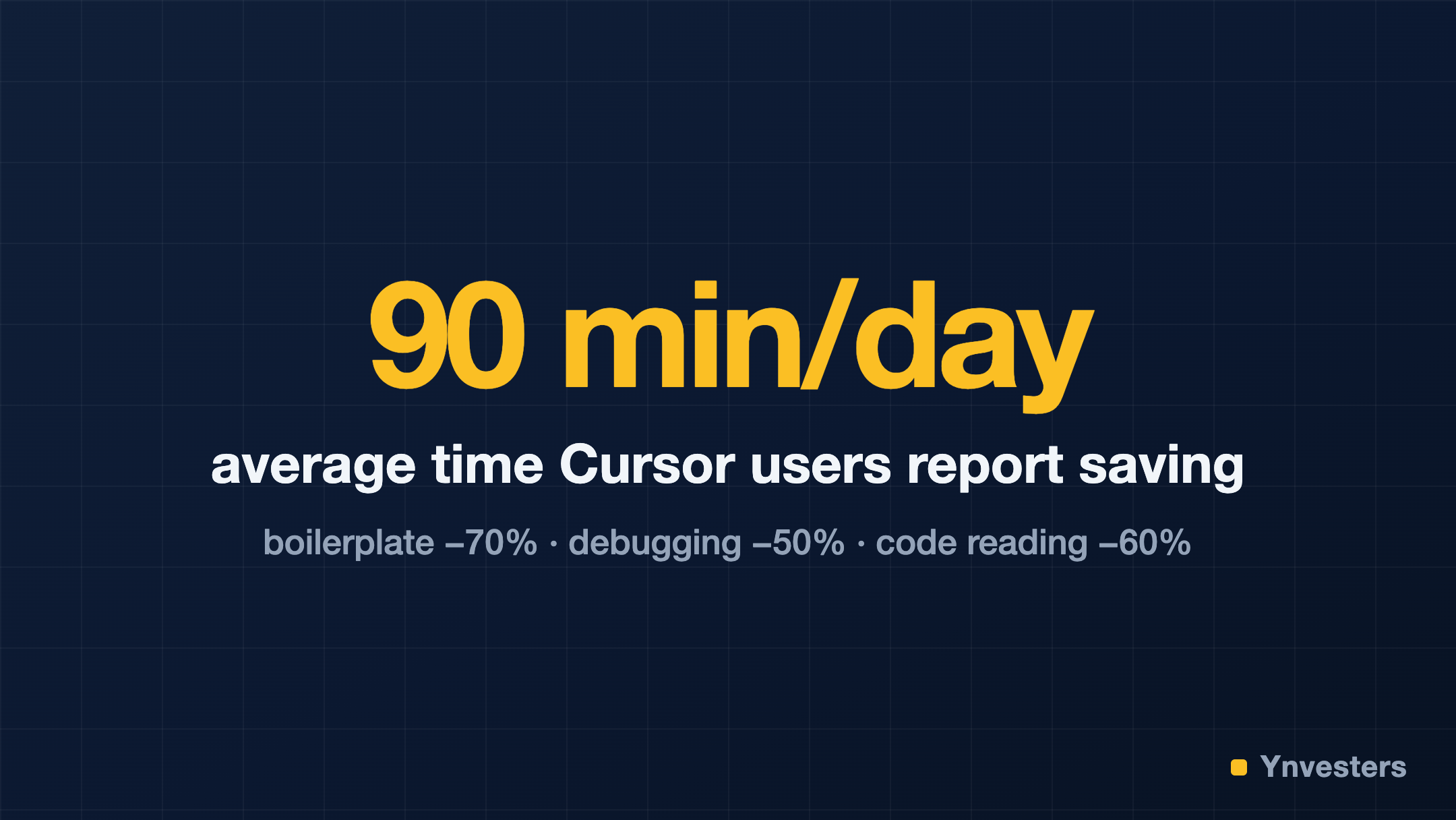
In developer self-reporting, Cursor users report saving an average of 90 minutes per day on routine coding tasks. The biggest gains: writing boilerplate (−70% time), debugging (−50% time), and understanding unfamiliar code (−60% time), per NxCode’s 2026 Cursor review.
One important reality check on pricing: Cursor’s advertised $20/month frequently exceeds budget during intensive coding sprints. Each Agent mode request consumes fast request quota, and the plan includes 500 fast requests per month. Heavy agent use can exhaust this in less than two weeks, with actual bills reaching $44/month due to overage charges ($0.04 per request beyond the limit). If you’re planning to run Agent mode daily, budget for the $60/month Pro+ tier or plan around the rate limits, per the same NxCode review.
Conclusion
Cursor is the most capable AI code editor available to individual developers in 2026. Its VS Code foundation eliminates switching costs, its codebase indexing produces suggestions that are actually relevant to your project, and its Agent mode handles multi-file tasks that competing tools still struggle with.
The caveats are real: the Business tier is expensive for teams, Agent mode requires careful review discipline, and the absence of a self-hosted option is a genuine blocker for some organizations.
Our take, if you’re a developer paying out of your own pocket: Pro at $20/month pays for itself in the first week — if Cursor saves you anywhere near the reported 90 minutes a day, the subscription costs less than one recovered hour. But budget honestly: heavy Agent-mode use can exhaust the 500 fast requests in under two weeks and push real bills to around $44/month with overages. If agentic coding is your daily style, plan for the $60 Pro+ tier from day one rather than discovering it on your invoice. Teams should run a one-sprint pilot on Business before committing — the $40/seat cost warrants the due diligence.
Cursor is not a silver bullet. It is, however, the sharpest knife currently in the drawer.
Frequently Asked Questions
Is Cursor Pro worth $20/month?
If you code daily, yes — it typically pays for itself in recovered time within the first week.
Why is my Cursor bill higher than $20?
Heavy Agent-mode use consumes the 500 fast requests fast; overages ($0.04/request) can push bills to around $44/month.
Cursor vs GitHub Copilot — which is faster?
In benchmarks Cursor completed tasks ~29% faster, while Copilot had slightly higher raw accuracy.
Is there a free Cursor tier?
Yes — the Hobby tier is genuinely usable for occasional work, with limited completions and premium requests.